
For college and university faculty whose evenings keep disappearing into letters, email, and committee work:
(without hunting for better prompts, putting a single student record at risk, or learning yet another platform)
This works no matter what you teach, what your load looks like, or how much AI you've used so far... AND it takes only about an afternoon to set up
Well, the answer to this question depends on one thing:
If you've decided that using AI for any part of your work is unethical, full stop...
And you'd rather keep doing all of it by hand, forever... then the answer is "no" (and this page isn't for you).
But on the other hand, if there's even a small part of you that thinks...
"AI could probably take some of the busywork off my plate. I just haven't figured out how to make it actually useful for MY work" ...
... then the answer is "yes", and this page might be the most insightful and important thing you'll read today.
Because on this page I'm going to show you how to turn the AI you already use into an assistant that writes your recommendation letters, your committee reports, and the emails you keep putting off... in your voice, from ONE sentence.
Not with a better prompt.
Not with a new platform.
And definitely not by explaining yourself and your courses to AI over and over.
You've probably used this thing hundreds of times without ever giving it a second thought...
And once you set it up the right way, it can turn your AI into an assistant that already knows your courses, your students, and your voice before you say a word.
Which means the drafts come back sounding like you, instead of like a machine you have to babysit.
So the fluff stops eating the work you're actually there for...
The inbox stops being the unpaid second job you do after the first one...
And your time quietly starts flowing back to your research, your writing, and the people who've been getting what's left of you.
Because AI does all the busywork for you.

And best of all...
You don't need any technical knowledge for this.
You don't need to be a "prompt expert".
You never put your students' data at risk.
And it doesn't take days or weeks to set up either (because I know if there's one thing you don't have... it's time).
All you need is to know how to copy and paste... and to spare just one afternoon.
Now, don't worry...
Because I believe you still want to do the things you got into academia for in the first place.
And that stays yours.
The judgment stays yours.
Your ideas, your research, and your time with your students stay yours.
You will still read every word before it goes anywhere, and nothing leaves your desk under your name unless you decide it should.
In other words, you'll still be the professor.
The only thing I'm going to show you how to hand off is the busywork you never signed up for.
The letters, the reports, the inbox, the fourth version of the same letter for the fourth portal... the pile that's been eating your evenings and your Sundays.
Because that's what AI was made for.
And once you put this setup to work, you will never look at AI the same way.
Now, before I show you how this is possible, here's something that should make every professor at least a little bit mad...
Just think about what your week actually looks like now.
A dozen offices that each need something from you. A chair who forwards you the email you already got from the dean. A portal for every form, and a form for every portal.
And the inbox... which at some point stopped feeling like part of the job and started feeling like unpaid work you do after it.
Every one of them comes with more writing.
And not one of them ever takes any of it away.
So the part you actually got into academia for... the research, the seminar, the student who comes back three years later... gets pushed to the evenings and the weekends.

Then AI arrived.
But it didn't arrive as help... it arrived from "inside the house".
A Copilot seat you didn't ask for.
A "slop generator" bolted into the LMS.
A memo from the provost about "AI readiness"... forwarded to you twice.
Nobody asked what YOU would want it to do for YOUR work. The letters, the reports, the inbox. They just added it to the pile.
Which means if AI has handed you more slop than help so far... that makes complete sense!
It was never set up for your work. It was set up for the institution's initiative.
So you did what most faculty did...
Tried it on your own, in a blank chat, between everything else... and got back a draft that could have been written for anyone.

And that's the exact reason for the gap that's growing right now between faculty who quietly made AI useful for their own work... and the ones still fighting the one they were handed.
With this setup, a professor's AI drafts the recommendation letter from one sentence... without it, you might still be writing yours at 11pm the night before it's due.
With it, the drafts come back in your own register...
Without it, the out-of-the-box AI keeps handing you the same enthusiastic, could-be-anyone letter you might end up rewriting by hand.
And with it, the Friday service sweep takes fifteen minutes... without it, the reports keep following you home, into your evenings and your weekends.
Let's face it...
The institution isn't going to close that gap for you.
But fortunately, you can close it yourself... in one afternoon.
In just a moment, I'll show you exactly how, but first, you have to understand...
Here's what nobody told you about AI...
The problem with AI is that it lacks a persistent memory of you, your work, and how you write.
Sure, AI does have memory now.
It remembers your name, what you teach... it might even remember what you worked on yesterday.
But the moment you get a bit more granular, it starts dropping things.
Ask it about last month's committee decision, or the way you structure a seminar, and it has no idea.
Which means if you explained something important to it that day... it's already gone.
Or when you paste a long, careful prompt where you lay out the course, the student, the situation, and exactly how you want it to sound...
It works... but only for that one chat.
A few days or weeks later, it's just another line buried in your chat history (and AI never looks at it again).
So the next time you hand it the same task, it defaults right back to the "AI way" instead of your way.

That's because AI's memory of you is shallow and scattered.
Especially on the free versions, where the memory is thinnest.
It keeps your discipline but loses how your strong letters differ from your polite ones.
It half-keeps your voice, then drifts back to that flat, could-be-anyone tone the moment you open a new chat.
And that inconsistent memory is exactly what turns AI's output into the slop you keep rewriting.
But once you fix that, your AI doesn't have that problem anymore.
Because before every single task, your AI reads your work first.
Everything about your courses, your students, your service load, your research, the way you write... everything.
And you can give your AI that kind of "brain" with this remarkably simple setup.
The setup behind all of that is remarkably simple.
And what it runs on works with ChatGPT, Claude, and Gemini (or with the next AI that comes along).
It works for any discipline and any appointment, from a 4-4 at a community college to a research chair at an R1.
It's built on initials and roles, so your students' real names never go into it.
It doesn't live inside any app, so no AI company (and no provost) can change it, retire it, or take it away from you.
And the thing itself costs nothing... because it's already sitting on your computer.
That thing is a...
Folder.
One plain, ordinary folder... the same kind you've made a hundred times for a course, a grant, or a committee.
You can create one on any computer in about two clicks.
But very few faculty know how to actually use it to make AI useful for their work.
So let me show you how...
You see, inside a folder you can store any file you want.
But plain text files are the format AI reads more reliably than anything else you could hand it.
So once you fill the folder with these files (containing all the necessary context about you and your work)...
One file holds you: your discipline, your appointment, your load, the way your institution runs things.
One holds your courses... each one's level, structure, materials, and policies.
One holds your students, in initials only, with the context that actually matters for letters and emails.
One holds your letters... your structures, your tiers, how your strong ones differ from your polite ones.
One holds your voice... the way you actually write, so nothing ever comes back sounding like a machine again.
And a few more like them (your service load, your research agenda, your policies).
... and connect the whole folder to your AI the right way...
Magic happens.
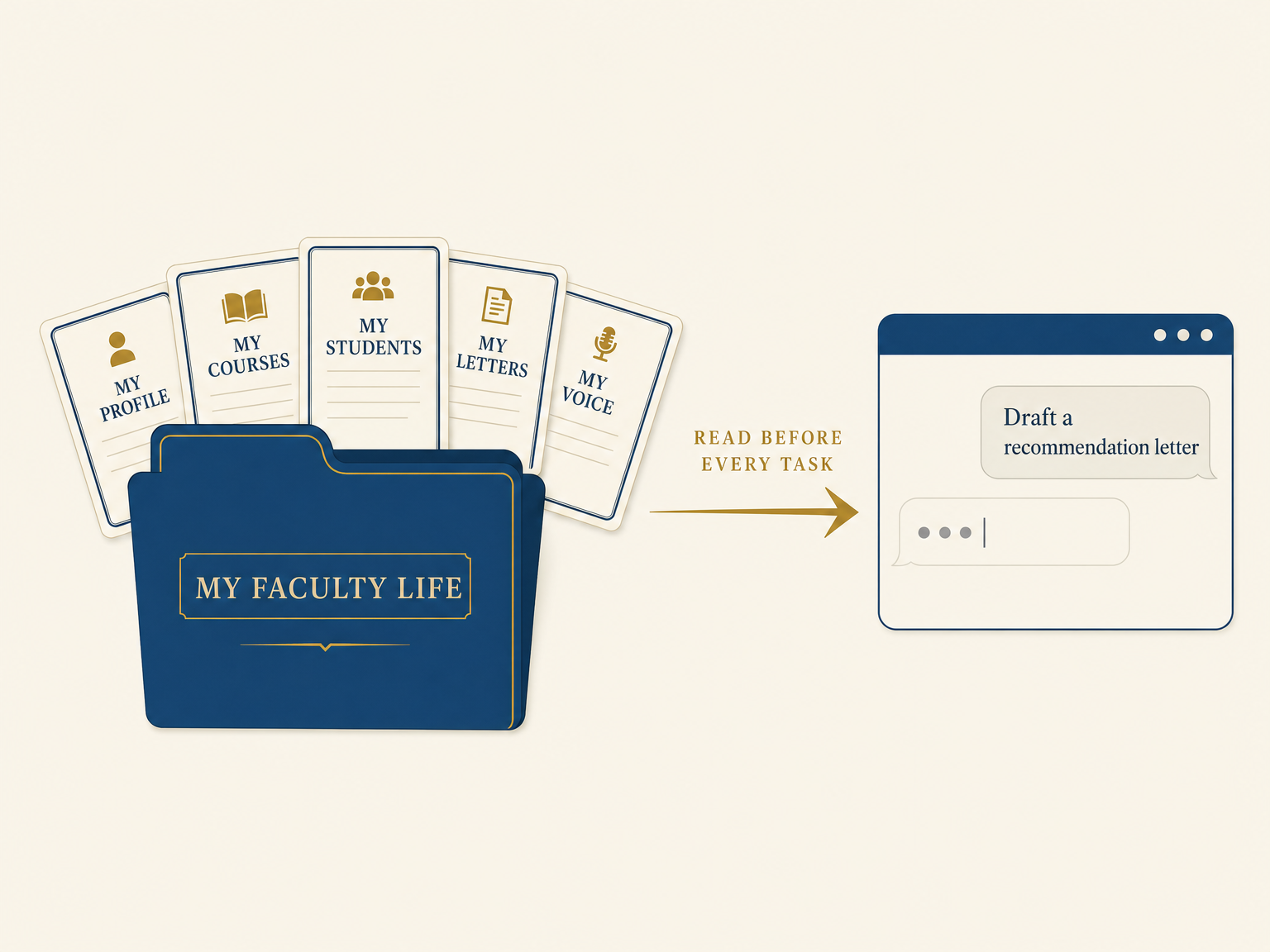
Then, before every task, the AI opens the folder and reads whichever files that job needs.
Recommendation letter? It pulls your letters file, the course they took with you, and what you know about their work.
Committee report? Your service file, and the shape last year's version took.
The email you've been avoiding? Your voice, and the way you hold a boundary kindly.
That's how your AI can suddenly draft a letter you'd sign from one sentence.
Because everything it needs is already sitting there, in writing.
So all you have to do is tell your AI what you want, and it just knows what to do and how.
The files only pull their weight when the AI knows which one to open first, what each one is called, and how they hand off to each other.
Get that wrong and you've built a folder of nice notes your AI never reads.
And that's the part almost nobody explains.
It's also where trying to wing it usually goes wrong.
In a moment, you'll see how easy it is to get right when someone walks you through it, step by step.
But here's the even better news...
You don't have to type it all out yourself.
The AI interviews you about your work, one plain question at a time, and fills in your files from your answers.
So if you can answer questions about your own courses, you can build this.
No coding, no templates, no tech skills. Just you, talking about the work you already know better than anyone.
Once your folder is up and running, you've basically given your AI a real brain, holding its memory of you and your academic life... one it reads every single time you use it.
And because it's built specifically for faculty, I call this folder setup...
FacultyBrain.
Now, you might be wondering...
Unlike prompts, where you first have to hunt down the right one...
And even then, it's like putting a band-aid on a broken arm (it fixes the slop in that one chat, but it doesn't last long)...
FacultyBrain gives your AI a permanent memory, one that makes it personal to you each and every time you use it.
Unlike the faculty-development workshop that, at the end, hands you a certificate of attendance (which doesn't do much besides sit in a drawer)...
FacultyBrain gives you real, practical know-how you can put to work on your own letters and reports, starting today.
Just try getting a good draft out of a prompt without first explaining your course and what you want to accomplish.
It's impossible.
Because what comes back is the same generic, vague AI slop you might have been getting all this time.
FacultyBrain, on the other hand, only needs you to dump all that context once.
And all it takes to build is one afternoon.
You let the AI connect it all together in the right files and the right structure...
... and from then on, every single chat starts from your own work.
No explaining, no retyping, no going back and forth.
Once you add FacultyBrain to your AI, your week starts looking something like this...
You type "letter for M, the cognitive science PhD applications, due Friday"... and it already knows the honors thesis you supervised, the two semesters as your methods TA, the poster that won at the regional conference.
What lands is your structure, strong-tier per your own letters file, with a placeholder where the name goes. Ready for your read.
You read it, change a thing or two, and send it.
The laptop closes, it's 6:40pm, and you're done.

And the same thing happens with the rest of it.
The reply to the email you've been avoiding comes out in your voice, instead of keeping you up at 11pm choosing words.
Thursday's seminar prep starts from your syllabus and your format, not a blank page.
The assessment report builds itself from last year's shape... and the syllabus rewrite, the committee minutes, and the reviewer response all start from your work.
The writing block on Thursday morning stops being the thing that always gives way.
You can even open a chat and ask, "what do I owe the curriculum committee this week?"
And it comes back with something like... "the assessment summary, due Friday. You drafted the hard part two weeks ago. Want me to finish it in last year's shape so you can just read it through?"
That's what a real memory of your work feels like... and it's how the letters, the prep, and the admin finally stop eating the hours that were supposed to be yours: the writing block, the reading, the evening.
Then there's also the privacy side of things...
By setting up your FacultyBrain you're not handing anything over to the AI companies.
First, because you never mention your students' real names or records anywhere in it.
Everything is stored in initials and roles rather than real names... so you get help that fits the actual people you teach, without anything identifiable leaving your hands.
And second, the memory folder you create sits on your own computer.
Which means the AI isn't keeping your work or your students' data anywhere.
Think of FacultyBrain like the folder you hand a colleague who covers your course mid-semester.

You don't expect them to read your mind or remember last month.
That's why you leave them the syllabus, where the class actually is, which students need what, and how you run things.
They read it, and they carry on without calling you every five minutes.
This is the same idea... except the AI reads your folder before every task, and runs the work like it's been in your department for years.
And the best part?
You can switch between AIs whenever you like. That's the beauty of it.
An AI company can change its policy, retire its models, even go bankrupt...
Your university can swap tools or roll out whatever new software they pick next...
Or you just decide to go from one AI to the other because you like one better...
... it doesn't matter, because your folder stays right where it is.
You just move it to the other AI and... voila!
In other words...
FacultyBrain is like your CV.
You wrote it once, it sits on your own computer, you add to it as you go, and it stays yours for good... no matter which apps come and go around it.
The people who build with AI for a living have worked this way for a couple of years now... a plain file of context in the folder they work in, read before the AI writes a line.
But nobody had built one for faculty yet.
The first people I built this setup for were K-12 teachers. I called that version ClassBrain... and hundreds of teachers have grabbed it so far.
So here's what they have to say about how the same setup changed the way they work with AI (and how much time it's saving them)...
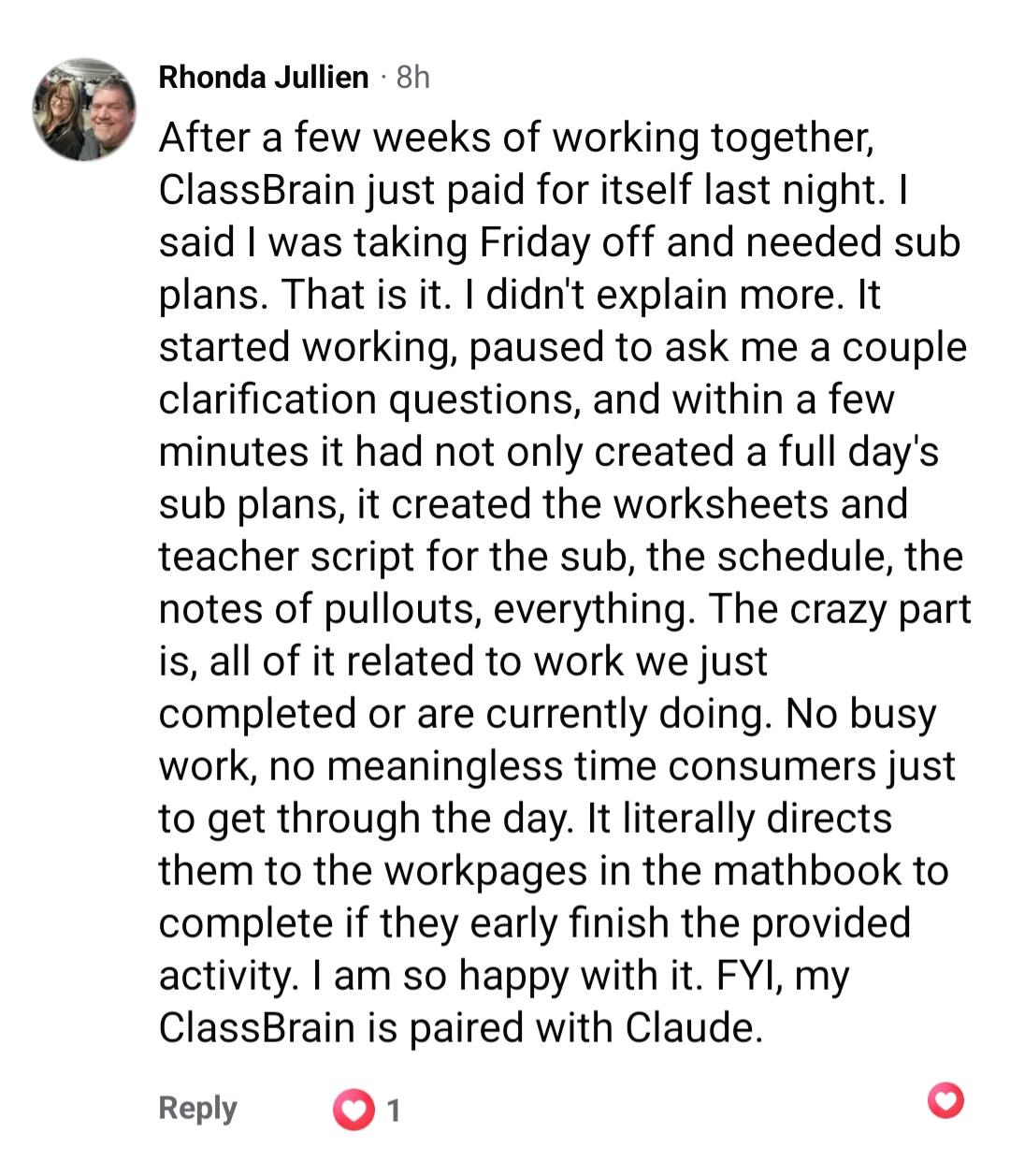

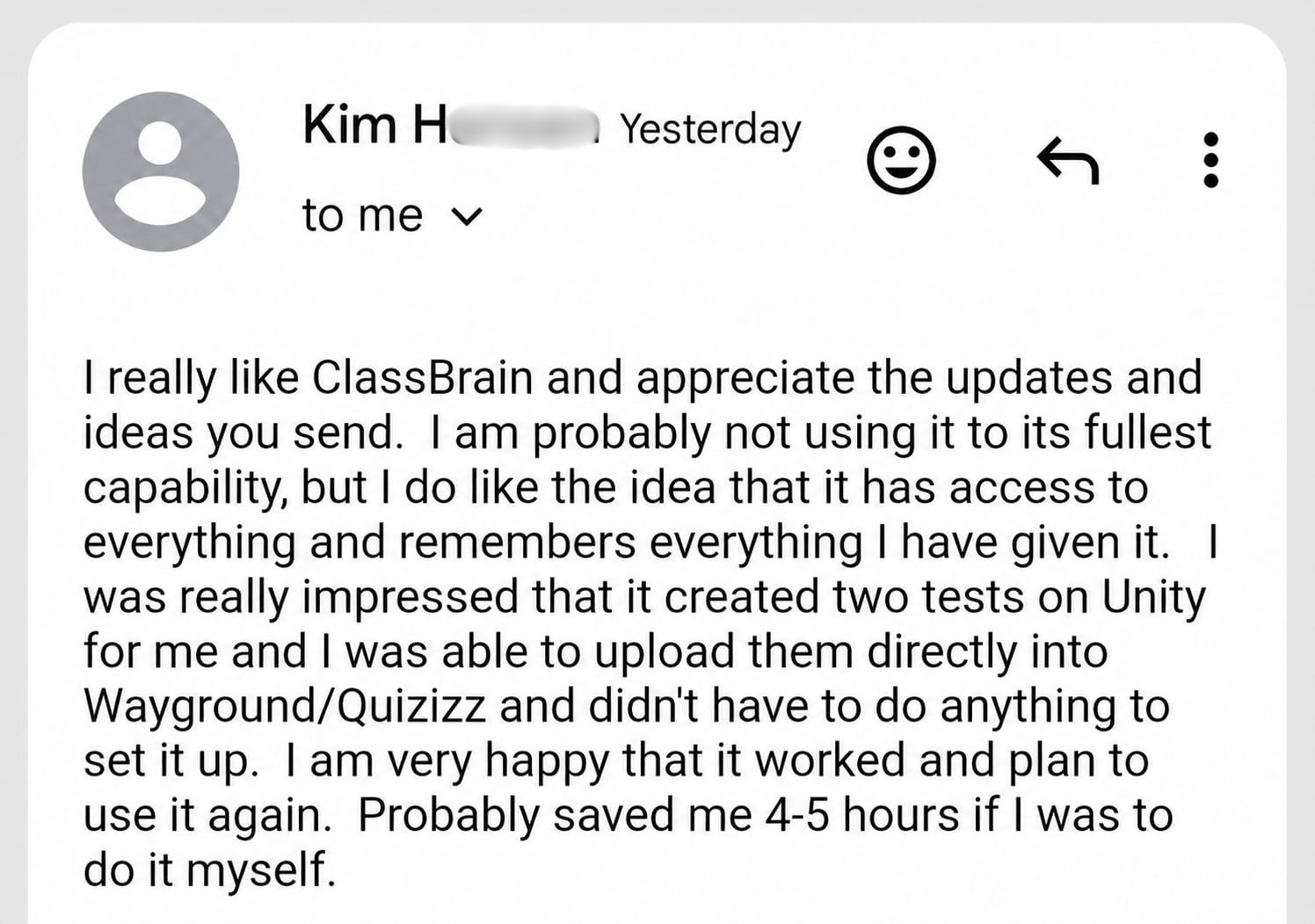
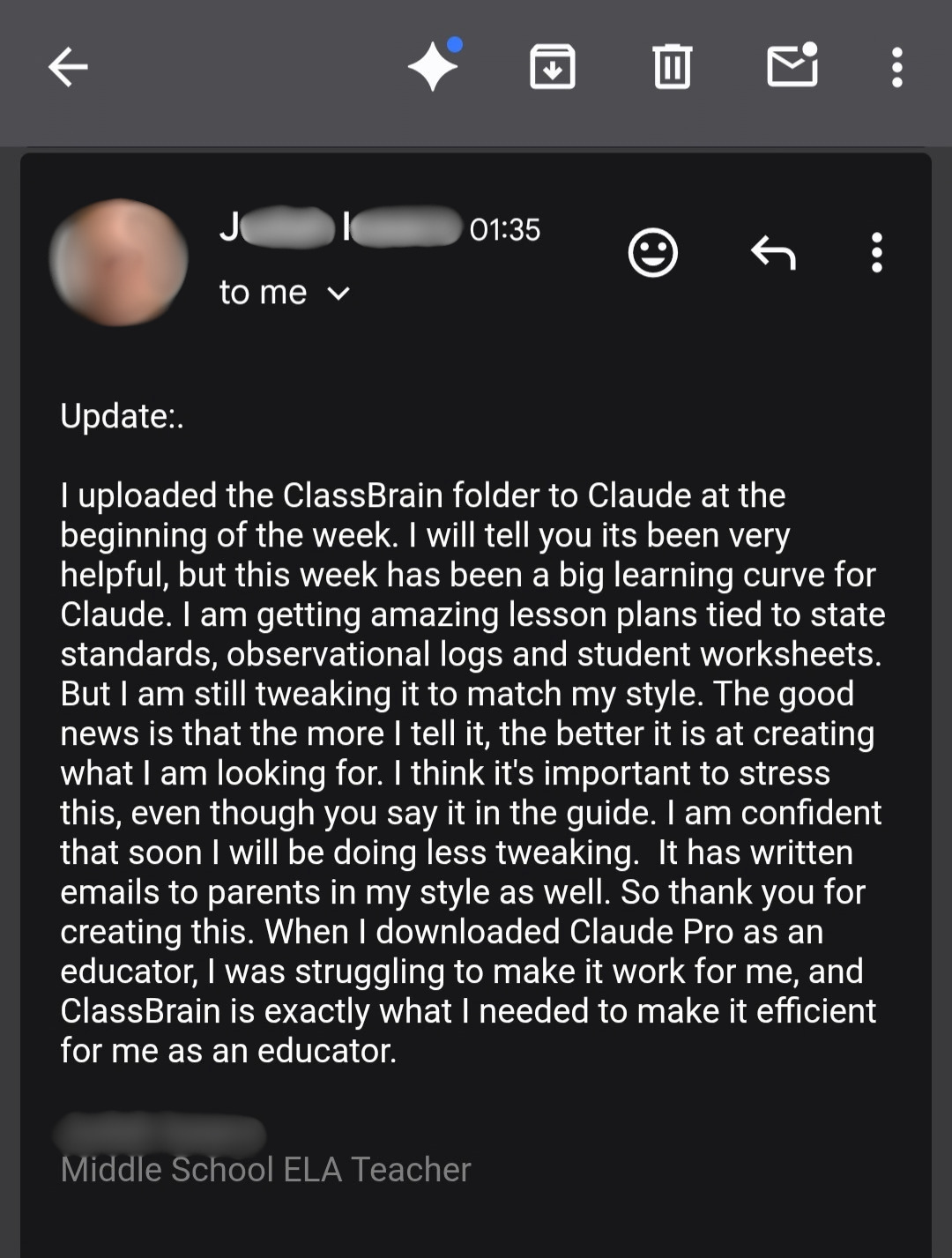


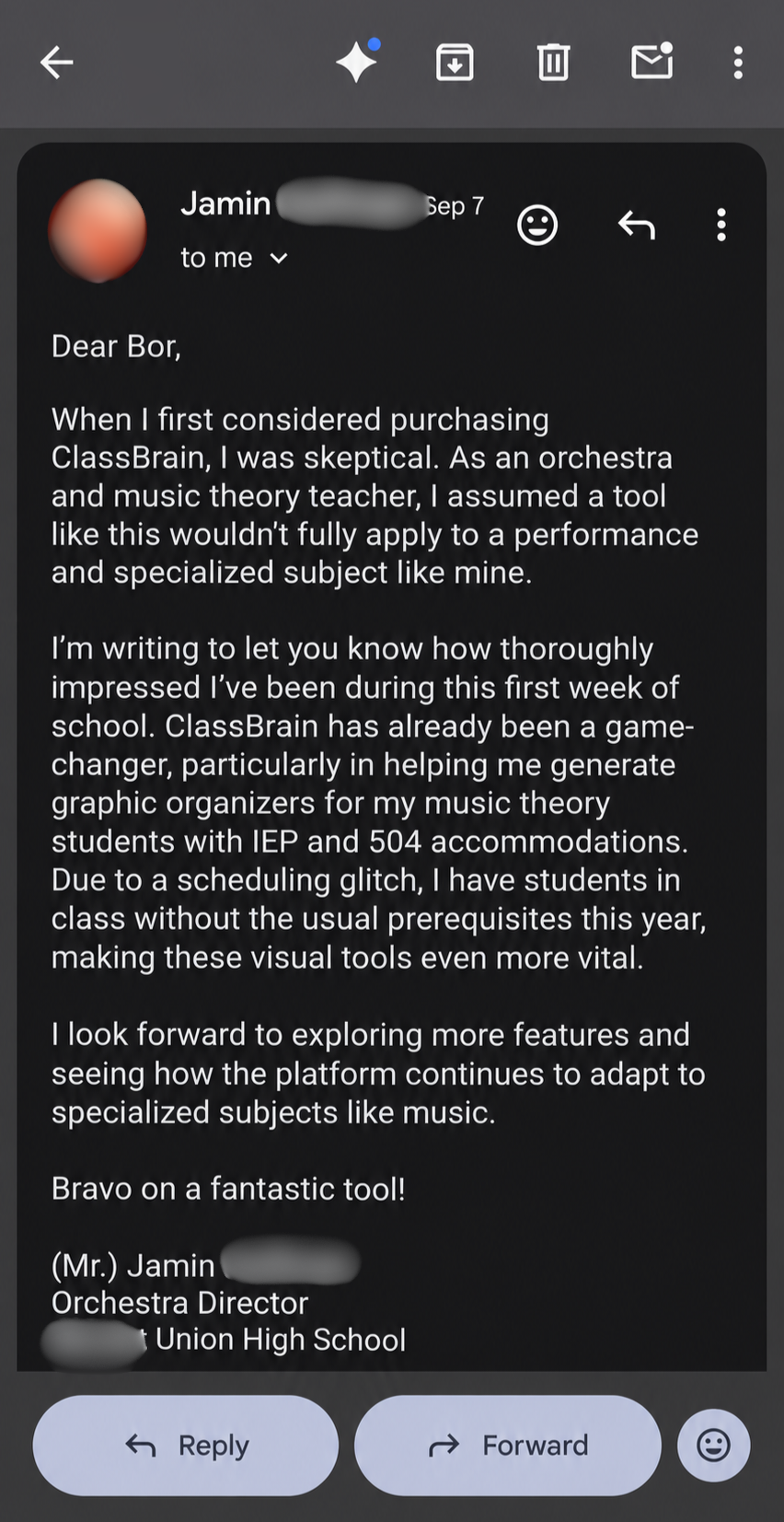



Now, their sub plans, syllabi, lesson plans and parent emails are your letters, reports and inbox.
Same folder.
Same AI.
Same one-sentence ask... the only thing that changes is what's in the files.
That's the part I rebuilt, file by file, for a professor's day and a professor's week.
Because why shouldn't you get to hand your busywork to AI too?
So here's the guide I put together that walks you through building your own FacultyBrain, step by step...
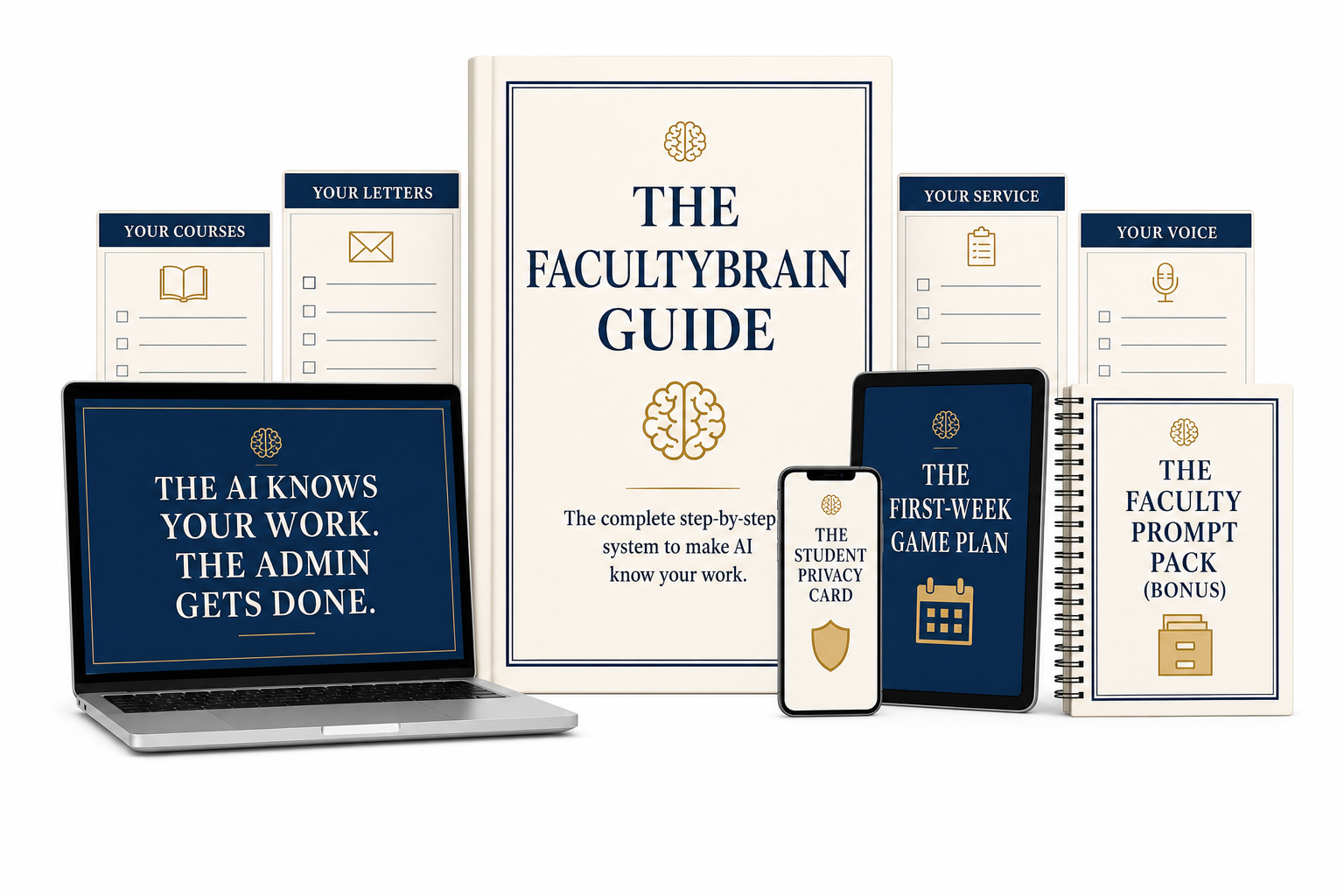
The FacultyBrain Guide is the step-by-step that walks you through building your own FacultyBrain, piece by piece.
By the end of it, your FacultyBrain is sitting on your computer...
One main folder, a few folders inside it, nine plain files about your academic life... each one named, ordered, and connected the right way.
And the guide walks you through every one of those files, one at a time, so you always know what comes next.
Now, just a quick heads-up before we go any further...
You won't find any fancy graphics or pretty design inside the guide. If fancy is what you're looking for, this isn't for you.
What you will find is one thing, done properly: how to give your AI a persistent memory of you, your courses, how you write, and how you work.
That's because the guide focuses on the ONE thing that makes all the difference... and once the memory is right, everything else follows on its own: the speed, the drafts in your voice, the evenings back.
Six short stages, one afternoon... and you walk out with an AI assistant that actually helps you with the admin side of your job every single day and gives you hours back every week.
Before you type a word about your work, you get the foundation right. This is the part that makes everything after it just work.
Let me stop on that last one for a second.
If the thought of AI anywhere near your students' information has ever made you uneasy... that line is the whole reason the system is built the way it is.
Nothing identifiable goes in, so there's nothing to leak, nothing to subpoena, and nothing to explain.
You set it once, and the question stays answered.
Okay, back to the build...
This is the heart of it. The plain files that hold your courses, your letters, your load... so the AI stops guessing and starts knowing.
A quick warning about that one.
This is exactly where the do-it-yourself attempts die. Writing a few files about your work is easy. But the files only work when they're named right, ordered right, and connected right, so the AI knows what to read before every task.
Miss that part and you have a folder of nice notes the AI ignores.
Okay, moving on...
So nothing with your name on it ever reads like a machine wrote it.
The invisible workload, made visible... and then handled.
The folder is the brain. This stage gives it eyes on your calendar, your inbox, and your drive.
It's the one tool that gets better the longer you use it.
That's the whole build. The guide walks you through every stage in plain English, written for someone who has never gone past the chat box.
It's not just instructions either... every file comes with a ready-made copy-paste build prompt, so the AI does the typing and you just answer questions about your own work.
And it doesn't stop there. You get four free things on top of it.
This is the part that gets you a win in the first week, before the doubt creeps in.
Not a test. Real work.
Five plays, in order, each one a real task already sitting on your plate... with the exact ask written out, so you paste, read, and send. Here's what's inside:
So you're never staring at a blank chat wondering how to start. You run the play, and the work comes back done.
The First-Week Game Plan gets you off the ground. This is what keeps it running after.
The simple rhythm for actually living with your FacultyBrain. A few small habits, inside a week you're already working. None of it takes long. Skip a day and nothing breaks. But run it for a month, and you'll wonder how you ran a semester without it. On the card:
And this is the difference between a system you set up once... and an assistant you run your semester on.
By now you know you don't need detailed, professional prompts to get great drafts out of FacultyBrain...
Once it's set up, you just ask for what you need in plain English, and your AI takes it from there.
That being said, I still wanted to give you 30+ prompts for the jobs that eat your week.
So on the days you don't even feel like spelling out the task, you just find the right one, swap a bracket or two, paste it in, and your FacultyBrain does the rest.
These aren't 3-page monsters you spend 15 minutes filling in before you get anything back.
Each one is a few sentences long, short and to the point. A taste of what's in the drawer:
And because they run on top of your FacultyBrain, every one comes back built from your work, in your voice. You grab the one you need and go.

One page. The exact line between what goes into your FacultyBrain and what never does. On that one page:
This is the card that lets you use everything above without a knot in your stomach. Keep it next to your laptop, and the line is always clear.
History, biology, business, nursing, mathematics, literature, engineering, sociology... the system holds your work, whatever your work is.
Tenure-track racing the clock, tenured and drowning in service, full-time lecturer with a 4-4, adjunct stitching together three campuses.
R1, regional public, liberal arts college, community college. In the US, the UK, Canada, or Australia.
And if you can describe how you work, it learns how you work.
Well, if you tried to dig this information up yourself... you'd spend hundreds, if not thousands, of dollars figuring it out.
I'm not exaggerating.
I spent $4,000 on an AI mastermind to learn what I'm revealing to you, step by step, in the FacultyBrain Guide.
Yup, you read that right.
And in my opinion it was worth every penny, based on how much time it saves me every single day and how capable my AI has become.
Now of course, I don't expect you to pay that much for the guide.
Not even close.
In fact, you don't need to pay $1,000...
Not $500...
And not even $100.
Although it would be well worth it, considering how many hours you could get back every single week.
Just imagine the semester you could get back... what would that mean to you?
Hold that picture in your head for a second, and consider...
Would you be willing to spend $47 on a guide that lets you do exactly that? That shrinks the after-hours work that eats your life every week?
If yes, then I have some good news for you...
Right here, right now, your investment in the FacultyBrain Guide is not even $47...
But just $37.
All of my friends told me I'm nuts for giving this away at such a low price xD
But I just really wanted to make this a no-brainer for as many faculty as possible, because I truly believe you don't deserve to spend your free time on the fluff.
And because of that...
Because of the fact that you've read this far and paid attention all the way to this point...
This tells me you're seriously considering finally turning AI into an assistant that does the tedious part of your work for you.
I'm actually going to go one step further ;)
You see, I really don't want the price to be the reason some faculty never dive into this...
So right here, right now on this page, I'm knocking another $10 off...
Which brings your final investment for the FacultyBrain Guide down to...
... just $27.
Yes. You read that right.
Just $27 for the guide, alongside all 4 bonuses.
How long will this last?
I don't know, to be honest...
Maybe forever.
Or maybe I change my mind in a couple of weeks, raise the price... and still make this a steal of a deal.
If you're ready to take that next step, click the button below and get your hours back...

You see, once you have your FacultyBrain set up, it just works (100% of the time).
It just can't "not work for you".
So here's the deal:
Use the guide for 30 days.
Follow it, build your FacultyBrain, and run your real letters, your real committee reports, and the emails you've been avoiding through it.
And if anything gets in the way of your setup, I'll help you build your FacultyBrain for FREE, until it's up and running and saving you time on the admin side of your job.
Once your FacultyBrain is up and running, I 100% guarantee you'll spend less of your week on letters, reports and email, and get your first free evening in months.
And if you're less than thrilled with FacultyBrain and how it's helping you with your work, just write me a short email at the address in your delivery email, and you'll get every cent back (while keeping the guide, plus all 4 bonuses, anyway).
No questions asked.
So really... the only thing you can lose here is another semester of doing the admin side of your job the hard way.
The only thing I can't be held responsible for is all the extra time you'll have once you start using it ;)
So grab the guide today and put it to the test.
See for yourself how easy it is to build your FacultyBrain, make it work for your courses, and turn your AI into a useful assistant.
Feel the peace of mind that comes from knowing you have an assistant right at hand that can draft the letters, the reports, and the emails in minutes (without having to worry about how you'll fit all of that into one afternoon or evening).
And see what it's like to get back the hours the fluff has been taking.
Instead of spending them on reports, correspondence, and all the other invisible labor nobody counts...
... you get to choose where they go.
Back into the paper that's been sitting in a drawer since the semester started. The seminar you'd teach differently if you had the time to rethink it. The reading you keep meaning to do.
And then home... to your kids' practice, to the people who've been getting the tired version of you, to an evening with nothing due.
I believe that by now, you have all the information you need to make a choice.
The choice you make right now reaches a lot further than your inbox...
... into your research, your writing, your evenings, and how much of you is left for the people at home.
The way I see it, you have three options...
Option 1: you keep doing what you're doing now.
You close this page, leave it behind, and go back to the way things are.
It costs nothing, and tonight asks nothing new of you. You know the routine.
But if nothing changes, here's what that routine probably looks like a few months from now...
The letters still get written the night before they're due.
The paper stays in the drawer another semester.
The inbox still wins... and still doesn't pay.
And whenever you do open AI for help, it's back to explaining your whole situation... one chat at a time.
Meanwhile, next semester's new initiative is already on its way.
Which means the fluff keeps eating the scholar's hours first and the evenings second, the way it has for years.
And that's totally okay... if you're okay with that.
Option 2: you try to build it yourself from scratch.
Everything you need is out there somewhere in videos and forum threads, and it costs nothing but time.
Some people love piecing a system like that together from parts... they love doing the research on their own, spending the little free time they have left figuring it all out, and building the whole thing up from nothing.
If that's you, that's a great route to go.
The only catch is that I haven't seen anybody lay this out for faculty specifically, so every step would be yours to translate on your own.
Which means the hours you're trying to win back... would go into one more unpaid project on top of the service load you already carry.
But if that's not something you're willing to take on, there's another route for you...
Option 3: you grab the FacultyBrain Guide (with all 4 bonuses) for $27.

Yes, it costs a little money. And yes, the setup takes about an afternoon (done only once).
But it's also the only option that is GUARANTEED to work from day one... that's built specifically for faculty, and that walks you through the whole setup step by step.
All you really have to do is copy, paste, and answer a few questions about your work.
And from that one afternoon on, the letters, the reports, and the emails start from your work instead of a blank page... in your voice, in your formats, with your hours back where they belong.
You decide.
If it's option 3, there's just one more thing you should know...
FacultyBrain keeps getting better the more you tell it about your work, and the longer you use it.
Which means every day you wait is a day of your semester it never gets to learn from.
In other words...
The sooner you start using FacultyBrain, the more it can help you.
That's why it might be smart to grab your copy now, while you're still on this page.
The fact that you've read this far tells me you're serious about getting AI to actually work for you.
And remember... you don't actually risk anything, because all you're doing is basically taking the FacultyBrain Guide on a 30-day trial.
All you have to do is click the big button below... start reading the guide a few minutes from now, and finally make AI carry the part of your job nobody sees...
When you click the button below, you'll land on a secure order page where you will have to enter your details to grab your copy of the FacultyBrain Guide.
After that, an email with all your downloads will land in your inbox within a couple of minutes.
Then you just pick an afternoon, open the guide, and start building your FacultyBrain.
And once you're up and running with it, you'll get to experience everything this page has been describing... for your own work.
That quiet feeling of knowing that whatever lands on your plate next... a letter, a committee report, the email you've been avoiding... your assistant can have a first draft ready in minutes, and the hours it would have taken stay yours.
And again... if anything gets in the way of your setup, just reply to that email, and we'll help you get your FacultyBrain up and running for FREE.
Now click the button below and let's get your hours back...
All of it for $37 $27, one time.
Not monthly, not per seat, and not something your university has to approve.
P.S. If you scrolled straight to the bottom, here's the whole thing in a few seconds.
With this setup, you type one hallway sentence ("letter for M, grad school, due Friday") into the AI you already use... and a few minutes later there's a draft in your own structure and your own register, with a placeholder where the name goes.
The reason is one ordinary folder of plain files on your computer that gives your AI a persistent memory of your academic life. One you own, that works with any AI, and that never touches a student's real name.
The FacultyBrain Guide walks you through building yours, step by step, in about an afternoon. It's $27 today, one time, with 4 free bonuses, free help with your setup, and 30 days to prove it on your own desk or get every cent back.
Because almost nobody has shown them how. Most institutions handed faculty a license and a workshop and left the rest to them... and a chat window doesn't exactly come with instructions for your courses. The setup behind FacultyBrain is how software developers have worked with AI for a couple of years: a plain file of context in the folder they work in, read before the AI writes anything. It just was never built around a professor's day, a professor's week, and a professor's privacy rules. That's what the guide does.
About an afternoon, done once. The guide breaks it into six short stages, and the first one (getting set up and safe) takes about 15 minutes. After that, the AI asks you plain questions about your work and fills in the files from your answers, so most of that afternoon is just you talking about your own courses. And it keeps getting better the more you use it.
You've probably already tried the free prompt lists. So you already know what happens: the wording is nicer, and the output is still generic, because the prompt was never the problem. A prompt is a guess about your work, and a well-written guess is still a guess.
FacultyBrain is the opposite of a prompt list. It's a one-time build of your work's memory, so the AI stops guessing before you type a word. Once it exists, even a lazy two-line ask comes back fitted to your courses, your students, your voice. The Faculty Prompt Pack is an optional shortcut on top of it, not the product.
No. Your $27 here is the only thing you'll ever pay us. Nothing renews, nothing auto-bills, and we earn nothing from any AI company.
Your FacultyBrain runs on the AI you already use, free plans included, and the guide shows you the best setup for each one (a couple of them handle it better on a free account than others, and the guide tells you straight which is which). The paid tiers ($20 a month, paid to them, not us) give you longer sessions and a stronger model. Nice to have, not required.
No. FacultyBrain works with the AI you already use (ChatGPT, Claude, or Gemini). You build your folder once, and it plugs into any of them... though the guide does tell you straight which one holds the most detail and writes the most like a person, and what to do about the license your university handed you.
And if you ever decide to switch, you just move your FacultyBrain to the other one and keep working. That's the beauty of it. It's a folder of your own files, so nothing gets rebuilt and nobody locks you in.
Think about why a student using AI on an assignment is a problem: they're being graded on whether they can do the skill themselves. You're not being graded on whether you can retype a committee report at 9pm. A student is proving a skill. You're doing a job. And every profession treats those differently: lawyers have paralegals, doctors have scribes, deans have assistants.
FacultyBrain drafts the fluff layer of your job: the letters, the prep, the reports, the correspondence, with every word passing through your hands before it goes anywhere. The scholarship, the judgment, and the classroom stay yours. There is no grading chapter in the guide, on purpose, and the system never touches how students use AI in your courses.
The guide has you build everything in initials and roles, never real names, so you could hand your entire FacultyBrain folder to a stranger and they couldn't identify a single student in it. No grades, no accommodation documentation, nothing from your LMS or SIS, ever. Letters get drafted with a placeholder, and you add the name in your own document at the end.
And you're not handing anything over to the AI companies either. Your folder sits on your own computer. The AI reads it before a task, and it is not keeping your work or uploading your students anywhere. The Student Privacy Card lays out exactly where the line is for your country, FERPA included, plus the never-paste list and what to do if you ever slip. Privacy is how this is built, not a disclaimer at the end.
Yes. It works for any discipline and any load, because it learns your work, whatever your work is... and it's written for faculty in the US, the UK, Canada, and Australia. Tenure-track or tenured, full-time lecturer or adjunct, R1 or community college. If you can describe how you work, it learns how you work.
If you can make a folder, copy and paste, and answer questions about your own work, you can do this. You're not writing anything technical: the guide includes a copy-paste build prompt for every single file, so the AI does the typing and you just answer its questions about your work. It's written for someone who has never gone past the chat box, one clear step at a time.
That fear is exactly right, and it's why voice is a whole stage of the setup, not an afterthought. You paste in one or two things you actually wrote and were proud of, a letter, an email, a syllabus passage, and the AI learns how you sound. Then the guide has you install a written rules file that bans the machine-tells outright: the em dashes, the "I hope this finds you well", the phrases you'd never write.
And there's a second safety net: nothing goes out without passing through you first. You read every draft with your own ear before anyone else sees it. Between a voice it learned from your writing and a final pass from the person who owns that voice, what leaves your desk sounds like you, because most of it is you.
Neither can we, which is why "never invent a citation, a quote, or a fact" is a standing hard rule the build writes into the system itself, in a file the AI reads every session. A properly built FacultyBrain says "I can't verify that" instead of improvising.
And the last line of defense never changes: it drafts, you decide, and nothing leaves your desk unread. The same rule you give your graduate students.
Institutions that have issued faculty AI guidance draw the same line this system is built on: your own work is yours to get help with, student records are off-limits. FacultyBrain keeps you on the right side of that line by construction.
And since it all runs on your own computer, on your own work, there's nothing here your university has to approve or install. If your institution has its own policy, read it (ten minutes, and it will almost certainly say a version of the same thing).